
A retail-ready automotive gift is more than a product inside a printed box. The SKU must move through product data, artwork approval, point-of-sale or marketplace requirements, warehouse handling, shipping cartons, and repeat orders without losing identity.
This guide separates the decisions owned by the brand from the production work handled by the factory.
Define the Packaging Hierarchy
Start by naming every packaging level:
1. Consumer unit: the product and packaging received by the customer.
2. Inner pack: a grouped quantity used for handling or replenishment.
3. Shipping carton: the export or distribution case.
4. Pallet or logistics unit: used when the order and transport route require it.
For each level, record dimensions, weight, quantity, materials, labels, barcode needs, and damage risks. This prevents a common mistake: approving an attractive consumer box while leaving the inner pack and shipping carton undefined.
The e-commerce and retail buyer page provides a sourcing route from test SKU to repeat-order program.

The Brand Owner Controls Product Identification
The buyer should confirm who owns the product specification and who allocates the product identifier. GS1 states that the brand owner is normally responsible for allocating the Global Trade Item Number, and that different products may require different GTINs. Use the official GS1 barcode guidance for the target market and sales channel.
The factory can place the buyer-supplied identifier and barcode artwork on approved packaging, but it should not invent an unverified retail identity. Keep a controlled table connecting SKU, product variation, GTIN, packaging revision, and destination market.
Before packaging artwork is locked, align the pack with the logo method guide and preserve the approved result through the MOQ and sample approval workflow.
Select the Barcode for the Scanning Environment
Barcode type, size, placement, contrast, and print quality depend on where the code will be scanned. GS1’s official ten-step implementation guide explains that point-of-sale, distribution, and other scanning environments have different requirements.
Before artwork approval, confirm:
- identifier supplied by the brand owner;
- required barcode type for the retailer or marketplace;
- point-of-sale and warehouse scanning needs;
- minimum size and quiet zones;
- dark-bar and light-background contrast;
- final print method and packaging material;
- verification requirement from the channel.
Do not stretch a barcode to fit a late artwork change. Rebuild it to the required dimensions and verify the final printed sample.
Build the Consumer Information Panel
The information panel may need product name, model or SKU, importer or responsible-party details, country of origin, material or fragrance information, safe-use instructions, warnings, disposal information, and destination-market languages. The exact requirement depends on the product and market, so the buyer should provide the applicable compliance brief.
For fragrance products, review ingredient restrictions and intended use against the current IFRA Standards as well as the destination market’s legal requirements. IFRA guidance does not replace local regulatory review.
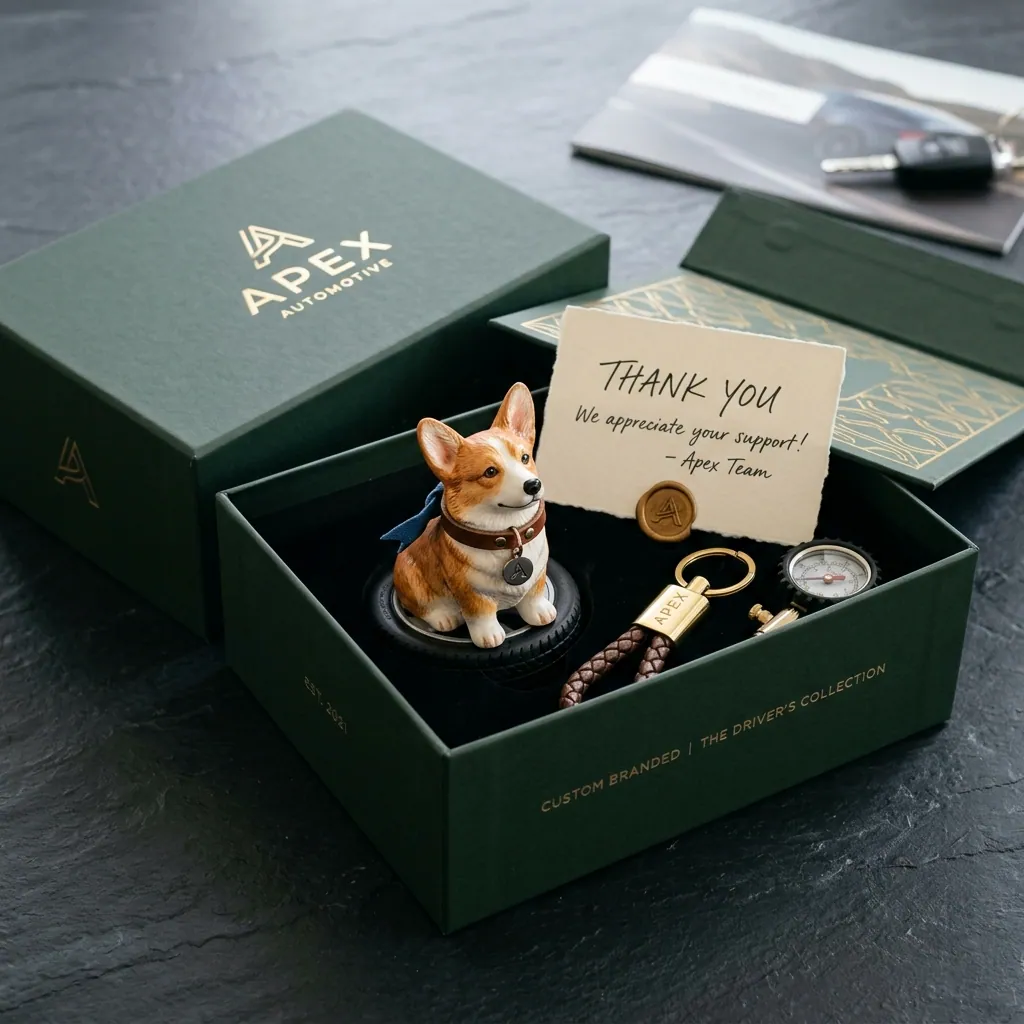
Approve Listing Assets With the Physical Pack
Marketplace and distributor teams need more than one hero image. Prepare:
- white-background product and packaging views;
- scale and dimension reference;
- product-in-use image that does not misrepresent placement;
- close-up of logo and finish;
- box contents and refill or accessory details;
- approved claims and supporting documents;
- carton quantity, dimensions, and weight.
The images, listing copy, and package should describe the same revision. If the sample changes, update the digital assets before launch.
Retail Packaging Approval Checklist
Before bulk production, approve:
- product and packaging revision numbers;
- GTIN and barcode artwork supplied by the buyer;
- all text, translations, warnings, and responsible-party details;
- colour, finish, logo, and insert card;
- product fit and protection inside the box;
- inner-pack and carton quantities;
- carton marks and destination labels;
- final scan verification where required;
- listing images and measured specifications;
- pre-shipment inspection evidence.
Use a physical sample kit to check the product and packaging together, and review the factory evidence checklist before shipment release. When the SKU brief is complete, contact LANDRE with the channel, market, quantity, packaging hierarchy, and launch date.