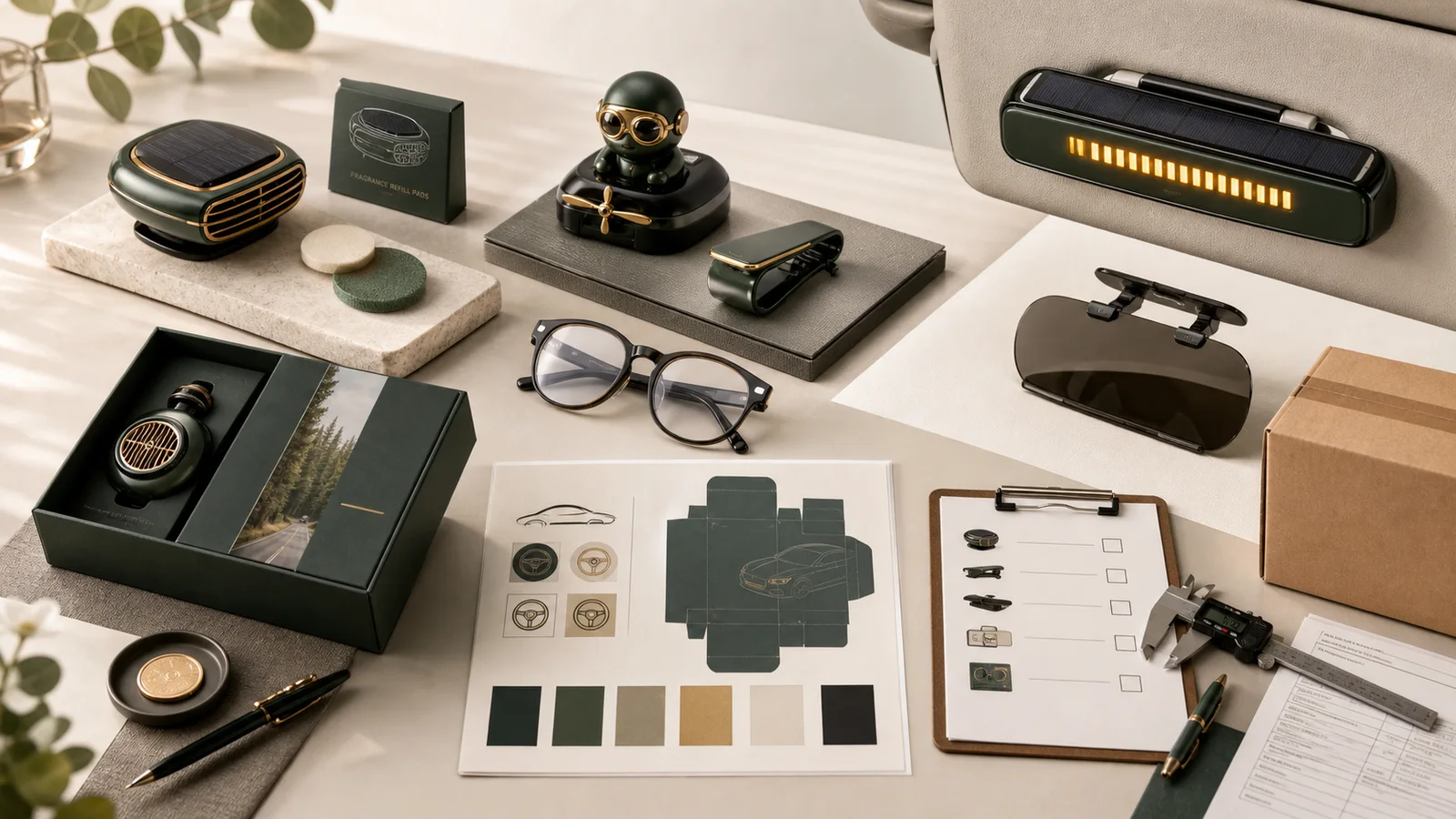
Small automotive accessories often appear to have more branding space in a rendering than they do in production. Solar cells, LCD windows, hinges, clips, airflow surfaces, adhesive contact, orientation marks, and user controls remove much of the apparent area. A logo that covers one of those zones can reduce function or confuse installation. The buyer should map protected and usable surfaces before choosing a marking method, then decide which message belongs on the product and which belongs on the insert or box. This guide treats logo placement as part of product approval rather than a decoration task added after fit is solved.
Start with LANDRE's custom solar visor accessory wholesale options to identify relevant product families, then use this guide to turn a visual shortlist into a decision-ready brief. The commercial page is a route to product evidence and an RFQ, not a substitute for sample approval or market-specific compliance review.
The Buying Decision in One Paragraph
Place a logo on a visor accessory only after mapping functional, mounting, contact, display, solar, movement, viewing, and instruction zones; approve the remaining surface at actual size on a decorated fit sample.
A useful decision separates what is known, what must be measured, what the buyer must choose, and what a qualified compliance or logistics specialist must confirm. Record assumptions in writing. If a supplier changes a material, mechanism, fragrance, artwork revision, package, or route, reopen the affected approval instead of relying on an old photograph.
Decision Criteria That Change the Result
Create a Protected-Zone Map
Use dimensioned product views to mark solar panels, displays, lights, vents, moving parts, controls, clips, hinges, adhesive or contact surfaces, left-right identifiers, warnings, and sight-line areas. Ask engineering and operations to approve the map before the designer receives a blank template. The usable area is what remains, not the entire visible housing.
Evidence to retain: Dimensioned protected-zone drawing, reviewer approval, usable-area measurements, and product revision.
Choose the Message for the Available Scale
A compact accessory may support a symbol or short wordmark but not an address, campaign line, QR code, and legal copy. Establish a hierarchy: product mark, orientation or model identity, insert-card explanation, and package story. Print the proof at actual size and evaluate it from the normal viewing angle after installation.
Evidence to retain: Brand hierarchy, actual-size proof, normal-angle photograph, minimum-size decision, and package copy plan.
Match Method to Surface and Recheck Function
Confirm material, coating, curvature, texture, heat, light exposure, movement, and assembly before selecting pad print, screen print, laser, label, or another supported method. Decorate a production-representative sample and repeat solar, display, movement, fit, mounting, and handling observations. Approval should refer to the exact method and surface.
Evidence to retain: Surface and method specification, decorated sample, affected-function retest, colour decision, and retained reference.
Use the LANDRE product catalog to compare named SKUs and preserve the product ID in the brief. For product, logo, packaging, and fit questions that cannot be resolved on screen, move the shortlist into the physical sample kit workflow.
Specification and Evidence to Send the Supplier
A supplier cannot quote or reproduce details that remain implicit. Put the following information in one controlled request, give every artwork and specification file a revision, and ask the supplier to identify any unsupported assumption before pricing.
- Exact accessory revision and dimensioned views showing solar, display, light, movement, control, mounting, contact, and warning zones.
- Usable logo surface, material, colour, coating, texture, curvature, heat, light, wear, and viewing orientation.
- Approved logo variant, minimum size, clear space, dimensions, colour, method, position datum, and artwork revision.
- Product, orientation, model, instruction, legal, campaign, partner, insert-card, and package message hierarchy.
- Actual-size proof, decorated sample, fit position, normal viewing angle, functional retest, and visual defect boundaries.
- Package, instructions, languages, carton, inspection reference, repeat-order artwork, and product-change triggers.
The factory workflow shows where the RFQ, artwork proof, sample, production, inspection, and export evidence belong. Use the factory FAQ to resolve standard process questions, then place product-specific exceptions in the written quote.
Approval Workflow From Shortlist to Production
1. Map product zones. Have product and operations reviewers protect every functional, mounting, contact, viewing, identity, and instruction area.
2. Reduce the brand message. Select a product-sized logo variant and move detailed communication to the card or package.
3. Approve method and actual-size proof. Match the process to the real surface and check scale, orientation, contrast, and viewing after installation.
4. Decorate, retest, and retain. Repeat affected fit and function checks, approve the complete pack, and keep the final sample for inspection.
Do not let approval live only in chat messages. Keep the final quote, artwork proof, physical-sample decision, packaging revision, inspection plan, and delivery instruction in the same order record. The detailed MOQ and sample approval guide explains how quantity tiers and approval gates should stay connected.
Risk Controls and Authoritative References
The main risks for this decision are predictable when the team names them before purchase:
- Solar or display obstruction: Use protected-zone drawings and reject artwork that reduces panel exposure, display readability, light, or controls.
- Mounting interference: Keep decoration away from clips, hinges, adhesive, contact pads, alignment, orientation marks, and removal points.
- Unreadable brand clutter: Use a simplified product mark and move campaign, contact, legal, and explanatory copy to package surfaces.
- Proof approved without installed view: Evaluate actual size, normal viewing angle, vehicle position, light, movement, and decorated function on the sample.
Safety-by-design starts before artwork: document intended installation, foreseeable misuse, critical materials, performance checks, and the change-control evidence expected from the supplier. Review the CPSC manufacturing best practices with the responsible specialist before the order is released.
For EU distribution, use the Commission overview to begin a product-specific review of responsible-operator, traceability, warning, and market-surveillance duties. Review the European Commission product safety overview with the responsible specialist before the order is released.
These sources are starting points, not certificates for a LANDRE product and not legal advice. The importer, brand owner, marketplace, carrier, and destination-country adviser should confirm which duties apply to the exact product, formulation, claims, packaging, and route.
Budget, MOQ, and Timeline Controls
Compare decoration routes only after usable area and logo dimensions are fixed. Ask for setup, fixture, colour count, additional position, sample, reject tolerance, package artwork, and rework charges. A larger mark can require another method or component and should not be treated as a free scaling change. Lock the protected-zone map and product revision before final artwork; otherwise a housing or solar-component update can invalidate every proof and printed package.
Compare quotations on the same configuration. Separate unit price from artwork, tooling, samples, packaging, inspection, freight, duty, tax, distribution, and replenishment. Reserve time for buyer feedback and sample revision; a production lead time quoted before the artwork and sample are approved is not the same as a committed delivery date.
RFQ Checklist and Practical Next Step
Before sending the request, confirm:
- Exact product revision and dimensioned protected-zone map approved by product reviewers.
- Usable surface, material, coating, texture, curvature, exposure, and normal viewing angle.
- Approved logo variant, actual dimensions, clear space, colour, method, position, and revision.
- Product-to-package message hierarchy with orientation, instruction, legal, and campaign needs.
- Actual-size proof, installed decorated sample, fit and affected-function retest.
- Visual defect examples, golden sample, inspection reference, package, and languages.
- Setup and sample charges, method limits, rework terms, and product-change control.
Use the laser engraving versus pad printing guide for the adjacent decision, then send LANDRE a structured inquiry with the product IDs, quantity, market, artwork, package, deadline, and unresolved questions. A precise brief produces a more comparable quote and a safer approval path than asking only for the cheapest unit price.